How to Create a Business Email?
Let’s get started!
- Go to your Dashboard.
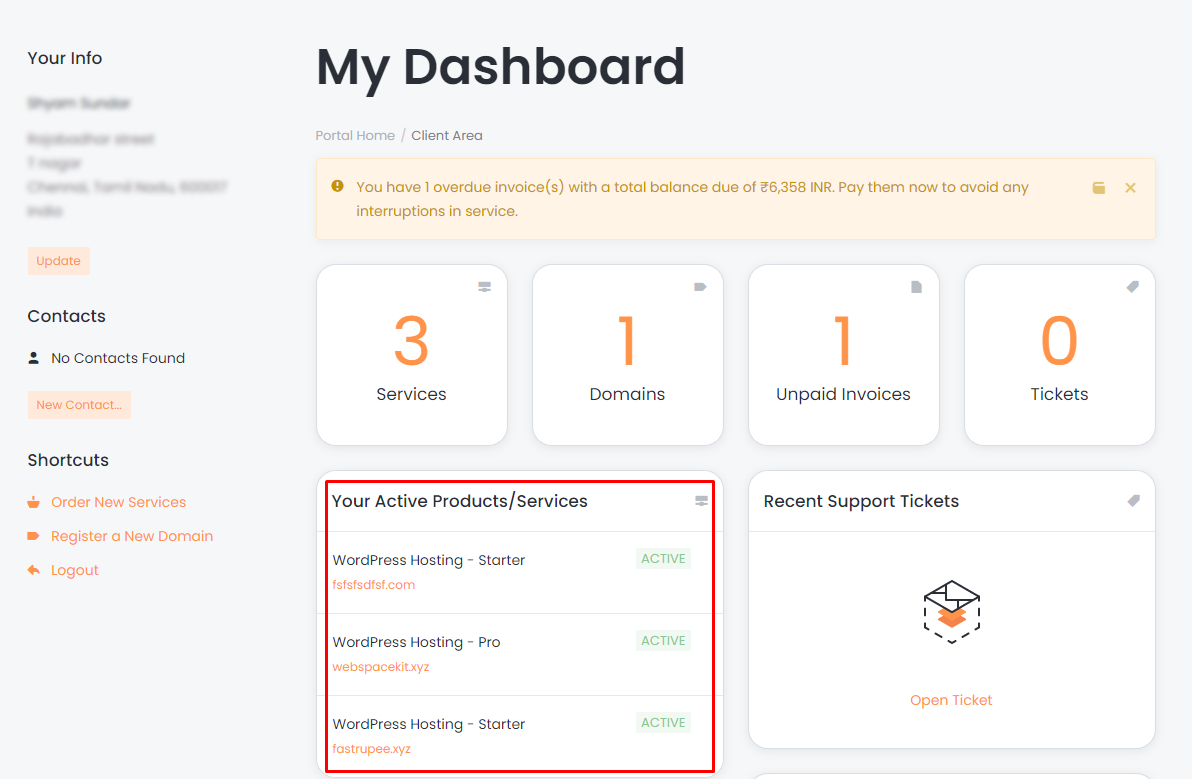
- Select your active hosting for which you want to create a business email.
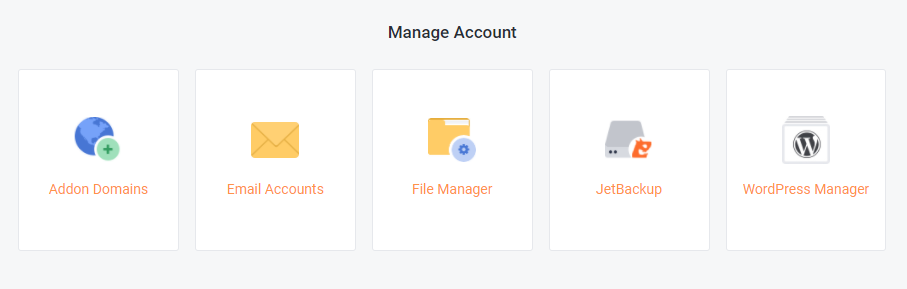
- Under manage account select email accounts.
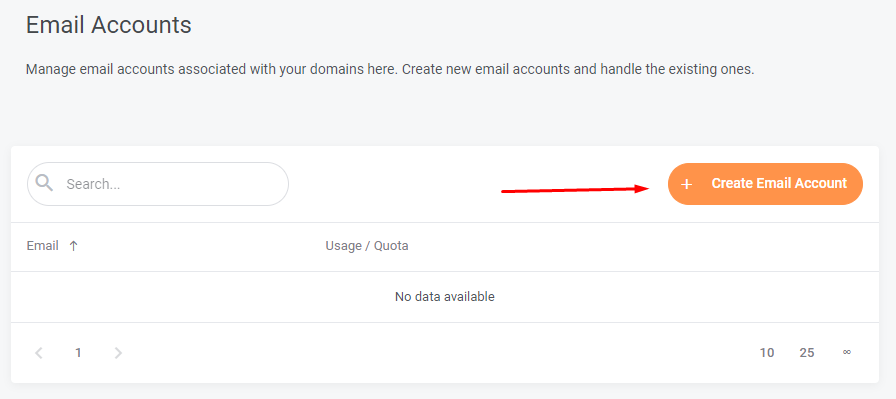
- Select 'create email account' to create one.
- Enter the following details:
- Password
- Quota (MB)
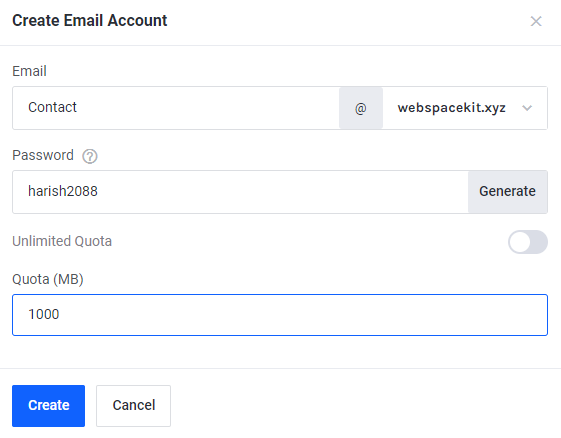
- Click "create" to create an email account.
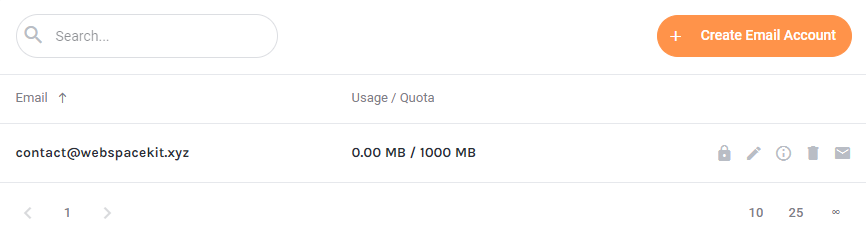
- That's it! You can see that "contact@webspacekit.xyz" is created successfully.
For viewing your inbox:
- Click on the webmail icon.
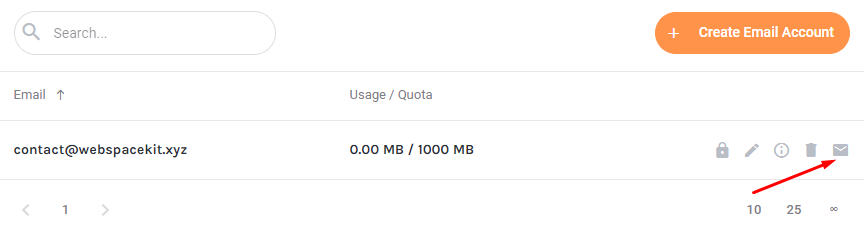
- You will be taken to the webmail homepage.
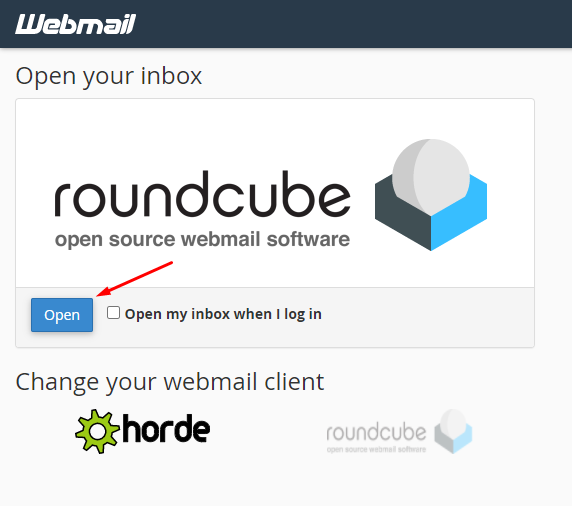
- Click open to view your inbox.
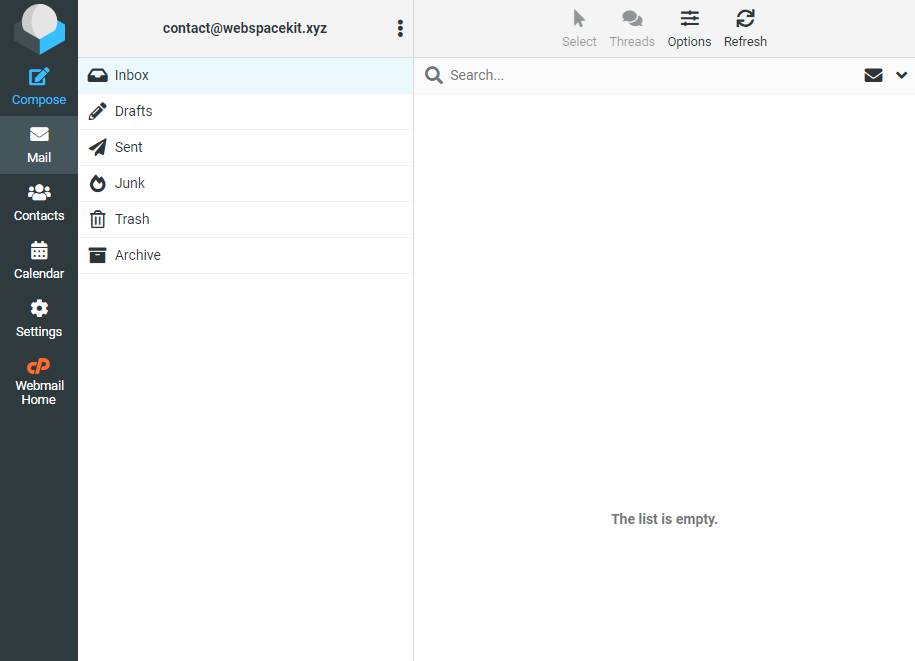
- From here, you can send and receive emails from this inbox.
- That's it! You have successfully created a business email for your website.
Updated on: 23/11/2023
Thank you!